JavaScript Synchronous vs Asynchronous Code: How JavaScript Handles Waiting
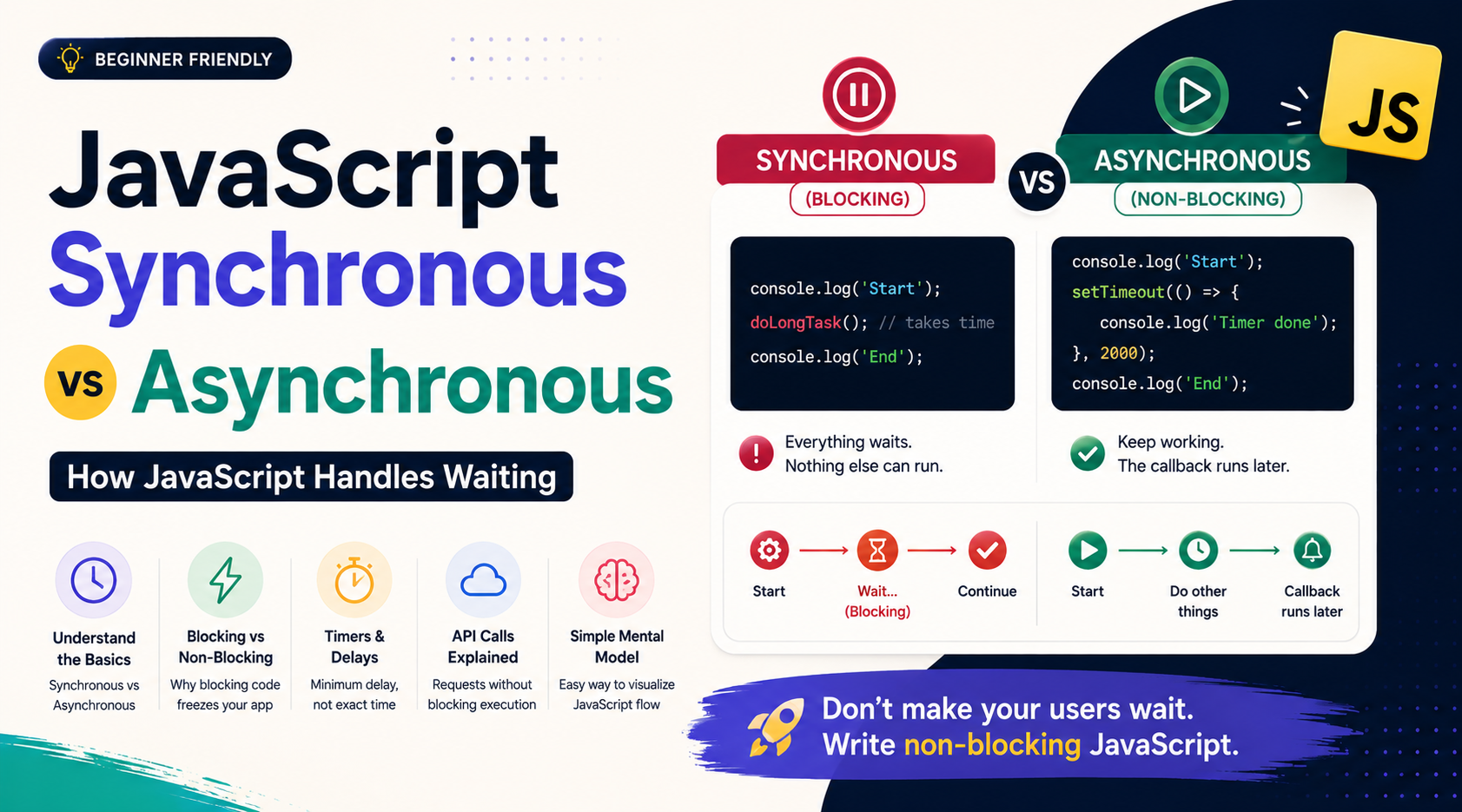
Imagine your JavaScript program needs to fetch data from an API.
The request might take a few milliseconds—or a few seconds.
Does JavaScript stop everything and wait for the response?
Not necessarily.
Understanding what happens when JavaScript encounters a task that takes time is the key to understanding synchronous and asynchronous code.
In this guide, we'll break down:
What synchronous code means
What asynchronous code means
Why JavaScript needs asynchronous behavior
Blocking vs non-blocking execution
What happens with timers and API requests
Why blocking code can make applications feel frozen
A simple mental model for understanding JavaScript's execution flow
1. Start With Synchronous Code
Let's start with the simplest case.
Consider:
console.log("First");
console.log("Second");
console.log("Third");
The output is:
First
Second
Third
Why?
Because JavaScript executes these statements one after another.
Conceptually:
Start
  ↓
First
  ↓
Second
  ↓
Third
  ↓
End
The next statement doesn't execute until the current one has finished.
This is synchronous execution.
Synchronous code executes in sequence, with each operation completing before the next one proceeds.
2. What Does "Blocking" Mean?
Now consider an operation that takes a long time.
doSomethingThatTakesALongTime();

console.log("Done");
If doSomethingThatTakesALongTime() occupies JavaScript's execution thread, JavaScript cannot move to:
console.log("Done");
until that operation finishes.
That's blocking behavior.
Think of it like a single checkout counter:
Customer A
   ↓
Checkout
   ↓
Customer B
   ↓
Checkout
   ↓
Customer C
If Customer A takes ten minutes, everyone behind them waits.
Similarly, a long-running synchronous operation can prevent other JavaScript work from executing.
3. Why Blocking Is a Problem
Imagine a browser running your application.
While JavaScript is busy performing a long synchronous task, it may not be able to process other JavaScript work such as:
User interactions
Event handlers
UI updates
Other scheduled callbacks
For example:
console.log("Start");

while (true) {
  // Infinite loop
}

console.log("End");
"End" is never reached.
More importantly, the JavaScript thread remains occupied indefinitely.
In a browser, this can make the page appear frozen or unresponsive.
So we need a way to start tasks that take time without making the entire application wait unnecessarily.
That's where asynchronous behavior becomes important.
4. What Is Asynchronous Code?
Asynchronous code allows an operation to begin without requiring the rest of the program to wait for that operation to finish before continuing.
For example:
console.log("Start");

setTimeout(() => {
  console.log("Timer finished");
}, 2000);

console.log("End");
The output is:
Start
End
Timer finished
Notice something important:
Start
  ↓
Start timer
  ↓
End
  ↓
...time passes...
  ↓
Timer callback runs
JavaScript didn't sit there for two seconds before executing "End".
Instead, the timer was scheduled, and JavaScript continued with other work.
5. An Everyday Example
Imagine you're at a restaurant.
Synchronous approach
You order food and stand at the kitchen counter until it's ready.
Order food
    ↓
Stand and wait
    ↓
Food ready
    ↓
Continue
You can't do anything else while waiting.
Asynchronous approach
You order food, receive a number, and sit down.
Order food
    ↓
Receive number
    ↓
Do something else
    ↓
Food becomes ready
    ↓
Get notified
The waiting still happens.
The difference is that you aren't blocking everything else while waiting.
That's the intuition behind asynchronous programming.
6. Timers Are a Simple Example
Consider:
console.log("A");

setTimeout(() => {
  console.log("B");
}, 1000);

console.log("C");
The output is:
A
C
B
A common beginner misconception is:
"
setTimeout(..., 1000)means JavaScript waits exactly one second and then executes the callback."
That's not quite correct.
The 1000 milliseconds specifies a minimum delay before the callback can be executed.
It does not guarantee that the callback runs exactly at the one-second mark.
The callback must wait until JavaScript can execute it.
7. What About API Calls?
API requests are another important example.
Suppose your application needs user data:
fetch("/api/users")
  .then(response => response.json())
  .then(users => {
    console.log(users);
  });

console.log("Request started");
The network request may take time.
Instead of blocking JavaScript while waiting for the server, the request is handled asynchronously.
Conceptually:
JavaScript
    │
    ├── Start API request ────────→ Server
    │
    ├── Continue other work
    │
    ├── Continue other work
    │
    ←──── Response arrives
    │
    └── Process response
This is extremely important for web applications because network operations naturally involve waiting.
8. Synchronous vs Asynchronous
Here's the core difference:
| Synchronous | Asynchronous |
|---|---|
| Executes sequentially | Allows work to continue while an async operation is pending |
| Current operation completes before proceeding | Completion is handled later |
| Can block the JavaScript thread | Helps avoid blocking while waiting for external work |
| Simple and predictable for sequential tasks | Useful for timers, network requests, I/O, and events |
A useful mental model:
Synchronous

Task A → Task B → Task C
         ↓
      must wait


Asynchronous

Start Task A ─────────→ completion
      ↓
Continue Task B
      ↓
Continue Task C
      ↓
Handle Task A result
9. How Does JavaScript Do This?
Here's where the event loop becomes important.
JavaScript execution itself is commonly described around a single call stack, but asynchronous behavior is enabled by the surrounding runtime.
In a browser, APIs such as timers, networking, and DOM events are provided by the browser environment.
In Node.js, similar asynchronous capabilities are provided by the Node.js runtime.
The simplified flow looks like this:
JavaScript code
      ↓
   Call Stack
      ↓
Runtime handles asynchronous operation
      ↓
Operation completes
      ↓
Callback becomes eligible to run
      ↓
Event Loop
      ↓
Call Stack
For example:
console.log("Start");

setTimeout(() => {
  console.log("Timer");
}, 0);

console.log("End");
Even with 0 milliseconds, the timer callback doesn't execute immediately.
The synchronous code finishes first:
Start
End
Timer
The callback is scheduled to run later when the runtime and event loop can process it.
10. The Task Queue
A simplified visualization is:
              JavaScript
                  │
                  ↓
             Call Stack
                  │
                  ├──── synchronous code
                  │
                  ↓
        Asynchronous operation
          ↙                 ↘
       Timer              Network
          │                 │
          └───────┬─────────┘
                  ↓
             Queue / Jobs
                  ↓
             Event Loop
                  ↓
             Call Stack
This is a simplified model—not a complete description of every queue and scheduling rule in JavaScript.
For example, Promise callbacks use the microtask queue, which has different scheduling behavior from timer callbacks.
But the key idea is:
Asynchronous work can finish later, and its JavaScript continuation runs when the runtime schedules it and the call stack is available.
11. Asynchronous Doesn't Mean "Runs in Parallel"
This distinction is important.
Asynchronous programming does not automatically mean JavaScript executes two pieces of JavaScript code simultaneously.
For example:
console.log("A");

setTimeout(() => {
  console.log("B");
}, 0);

console.log("C");
You still get:
A
C
B
The JavaScript callback doesn't interrupt the currently executing synchronous code.
Asynchronous programming is primarily about not blocking while waiting for an operation to complete.
Actual parallel execution is a separate concept and can involve mechanisms such as Web Workers or Node.js worker threads.
12. Why JavaScript Needs Asynchronous Behavior
Modern applications constantly perform operations that involve waiting:
Fetching API data
Reading files
Database operations
Timers
Receiving user events
Network communication
Waiting for external services
If JavaScript blocked the main thread for every one of these operations, applications could become extremely unresponsive.
Imagine:
Request data
    ↓
Wait 2 seconds
    ↓
Update UI
    ↓
Request more data
    ↓
Wait again
During those waits, useful work could be unnecessarily delayed.
Asynchronous APIs allow the runtime to handle the waiting while JavaScript can continue processing other work.
13. Synchronous vs Asynchronous
Don't think:
"Synchronous is bad and asynchronous is good."
That's not true.
Synchronous code is often exactly what you want:
const total = price + tax;
const name = user.name;
These operations are quick and naturally sequential.
Asynchronous programming becomes valuable when an operation involves waiting for something that isn't immediately available.
So the better question is:
"Does this operation need to wait, and should that waiting block other work?"
If the answer is yes, asynchronous APIs are often the appropriate solution.
14. One Important Distinction
Synchronous/asynchronous and blocking/non-blocking are related concepts, but they aren't identical.
Synchronous describes how execution is coordinated: the next step waits for the current operation to finish.
Asynchronous means the operation's completion can be handled later, allowing other work to proceed.
Blocking means the current thread cannot continue with other work while the operation is occupying it.
Non-blocking means the thread can continue doing other work instead of waiting for that operation to finish.
This distinction becomes especially important when you start learning Node.js, promises, async/await, the event loop, and backend I/O.
15. Quick Cheat Sheet
Synchronous
→ One step finishes before the next proceeds.

Asynchronous
→ Start work and handle its completion later.

Blocking
→ The current thread is prevented from continuing.

Non-blocking
→ The current thread can continue while waiting.
And remember:
API request
   ↓
Start request
   ↓
Don't block JavaScript waiting
   ↓
Continue other work
   ↓
Response arrives
   ↓
Handle the result
Conclusion
Synchronous and asynchronous code are fundamental to understanding modern JavaScript.
The simplest way to remember the difference is:
Synchronous code waits for the current operation before moving forward.
Asynchronous code allows the program to continue while waiting for an operation to complete.
This becomes especially important for operations such as network requests, timers, file I/O, and other tasks that don't finish immediately.
And remember one final distinction:
Asynchronous does not automatically mean parallel.
JavaScript can remain responsive by coordinating asynchronous work through the runtime and event loop, even though JavaScript execution itself is not automatically running multiple callbacks simultaneously.
Once this mental model clicks, concepts like Promises, async/await, the event loop, callbacks, and API requests become much easier to understand.