JavaScript Polyfills Explained
Introduction
JavaScript gives developers many powerful built-in methods that we use every day.
For example:
const numbers = [1, 2, 3, 4];
const doubled = numbers.map(num => num * 2);
console.log(doubled);
Output:
[2, 4, 6, 8]
Methods like:
map()
filter()
reduce()
includes()
trim()
Promise.all()
make our code shorter and easier to write.
But have you ever wondered:
How do these methods work internally?
What happens when a browser does not support a newer JavaScript feature?
How do developers use modern APIs while maintaining compatibility?
The answer is polyfills.
What Are Polyfills?
A polyfill is a piece of JavaScript code that provides functionality that is missing in a browser or runtime environment.
In simple words:
A polyfill fills the gap between what JavaScript provides and what the current environment supports.
For example, modern browsers support:
const numbers = [1, 2, 3];
numbers.map(num => num * 2);
But an older environment might not understand the map()method.
A developer can provide a custom implementation:
if (!Array.prototype.map) {
Array.prototype.map = function(callback) {
    // custom implementation
};
}
Now the missing functionality is available.
Why Do Developers Write Polyfills?
JavaScript is constantly evolving.
New features are added through ECMAScript updates:
| Version | Year | Examples |
|---|---|---|
| ES5 | 2009 | map(), filter(), reduce(), trim() |
| ES6 | 2015 | Promise, find(), startsWith() |
| ES2019 | 2019 | flat() |
| ES2023 | 2023 | findLast(), toSorted() |
| ES2024 | 2024 | Object.groupBy(), Promise.withResolvers() |
The problem is that browsers do not adopt new features at the same time.
A feature can exist in the JavaScript specification but still be unavailable in some environments.
Polyfills solve this compatibility problem.
Common Use Cases of Polyfills
1. Browser Compatibility
A website may have users using different browsers and versions.
Instead of avoiding modern JavaScript features, developers can provide fallback implementations.
Example:
array.find()
If the environment does not support it, a polyfill can provide similar behavior.
2. Supporting Legacy Applications
Large applications often need to support older environments.
Polyfills allow developers to write modern JavaScript while keeping existing users supported.
3. Understanding JavaScript Internals
Writing polyfills is also a great way to understand how JavaScript actually works.
Implementing:
map()
teaches:
callbacks
arrays
iteration
return values
Implementing:
Promise.all()
teaches:
asynchronous execution
promise resolution
error handling
How Do Polyfills Work?
To understand polyfills, we first need to understand prototypes.
JavaScript uses prototype-based inheritance.
Consider:
const numbers = [1, 2, 3];
This array can use methods like:
numbers.map();
numbers.filter();
numbers.reduce();
But these methods are not stored inside every array.
They exist on:
Array.prototype
You can check:
console.log(Array.prototype);
It contains methods like:
map() filter() reduce()
When JavaScript executes:
numbers.map()
it looks for map() in the prototype chain:
numbers
   |
   ↓
Array.prototype
   |
   ↓
map()
Creating Our First Polyfill
Let's recreate a simplified version of map().
The original method:
const numbers = [1, 2, 3];
const result = numbers.map(num => num * 2);
console.log(result);
Output:
[2, 4, 6]
Now let's create our own:
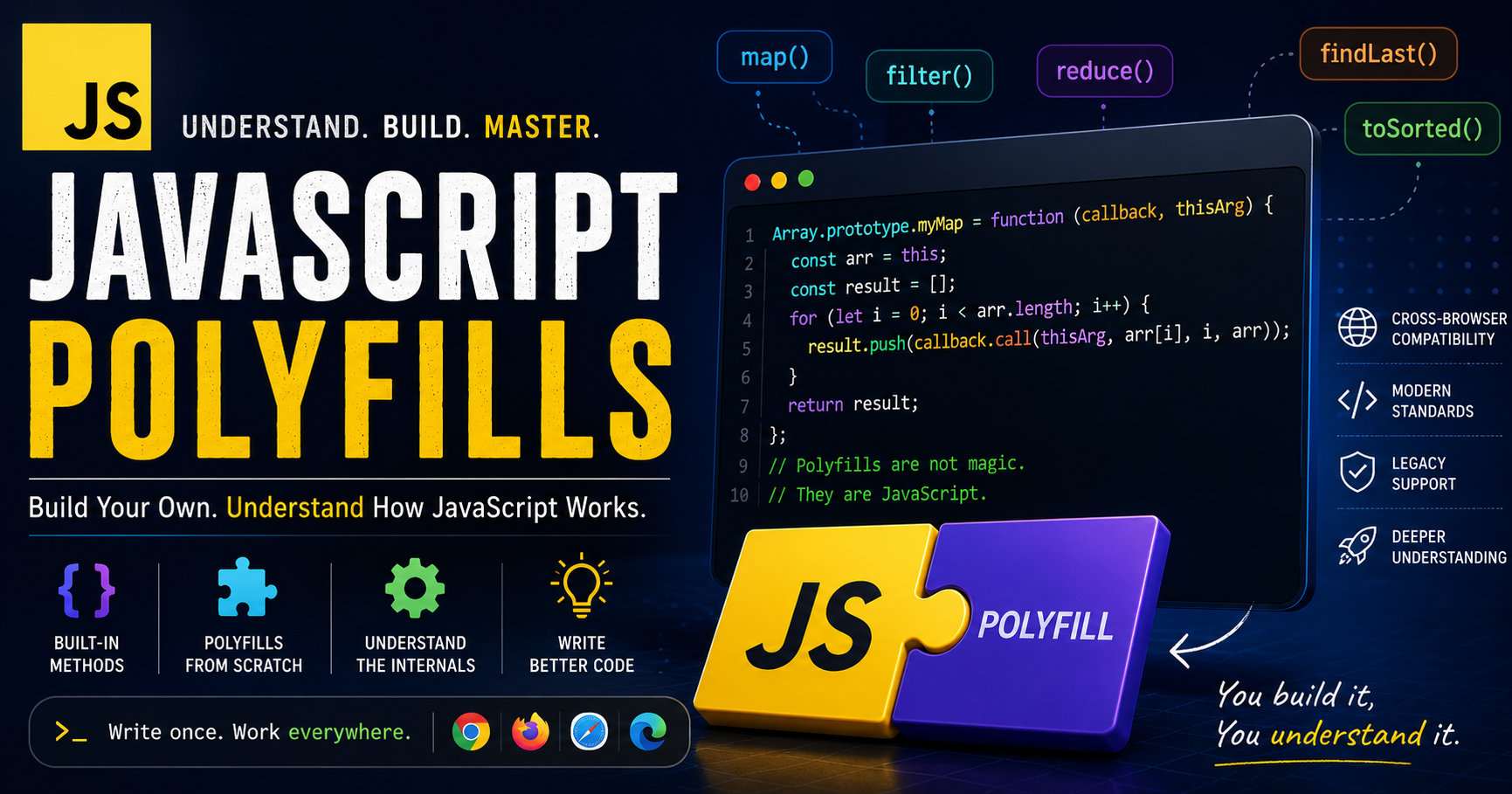
Array.prototype.myMap = function(callback) {
const result = [];
for(let i = 0; i < this.length; i++) {
    result.push(
        callback(this[i], i, this)
    );
}
return result;
};
Usage:
const numbers = [1, 2, 3];
const doubled = numbers.myMap( num => num * 2 );
console.log(doubled);
Output:
[2, 4, 6]
Understanding The Implementation
The this Keyword
Inside the method:
this
refers to the array that called the function.
Example:
numbers.myMap()
means:
this = numbers
Creating a New Array
const result = [];
map() does not modify the original array.
Example:
const numbers = [1, 2, 3];
const doubled = numbers.map( num => num * 2 );
console.log(numbers);
Output:
[1, 2, 3]
The original array remains unchanged.
Callback Function
The callback receives:
callback(value, index, array)
Example:
numbers.map(
    (value, index, array) => {
    }
);
It provides:
Current value
Current index
Original array
The Standard Polyfill Pattern
A good polyfill should not replace the browser's native implementation.
The common approach is:
if (!Array.prototype.myMethod) {
    Array.prototype.myMethod = function() {
        // implementation
    };
}
This means:
Add the feature only when it does not already exist.
This allows modern browsers to continue using their optimized native implementations.
Common Categories of Polyfills
Polyfills are not a special type of JavaScript feature. They're simply fallback implementations written when a browser or runtime doesn't support a built-in API.
In practice, developers usually organize polyfills based on the JavaScript object they extend. Some of the most common categories include:
| Category | Common Examples |
|---|---|
| Array Methods | map(), filter(), reduce(), find(), flat(), findLast(), toSorted() |
| String Methods | trim(), includes(), startsWith(), endsWith() |
| Object Methods | Object.keys(), Object.assign(), Object.groupBy() |
| Promise Methods | Promise.all(), Promise.withResolvers() |
Each category helps us understand a different part of JavaScript. For example, array polyfills teach iteration and callbacks, string polyfills focus on text manipulation, object polyfills deal with object operations, and promise polyfills introduce asynchronous programming.
Since we've already built our first map() polyfill, the same idea can be applied to many other built-in methods whenever native support is unavailable.
What Are String Methods?
Just as arrays have built-in methods, strings also provide useful methods for working with text. They're commonly used to validate user input, search text, format strings, and clean data before processing.
Some frequently used string methods include:
trim()includes()startsWith()endsWith()replace()
Like array methods, these can also be polyfilled when required.
Implementing Simple String Utilities
The implementation pattern remains exactly the same as our map() polyfill:
Extend
String.prototypeAccess the current string using
thisReturn the expected result
For example, a simple trim() polyfill looks like this:
String.prototype.myTrim = function () {
    return this.replace(/^\s+|\s+$/g, "");
};
Once you understand one polyfill, creating similar utilities for methods like includes() or startsWith() becomes much easier.
Polyfills and JavaScript Interviews
If you've ever been asked to implement your own map(), filter(), or reduce() during an interview, you've already encountered a polyfill-style question.
Interviewers aren't expecting you to recreate the exact browser implementation. Instead, they want to evaluate your understanding of:
Prototypes
Loops and iteration
Callback functions
Return values
Problem-solving skills
Questions like these are common:
Implement your own
map()Create a custom
filter()Write your own
reduce()Implement
Promise.all()
If you've built polyfills before, these questions become much easier because you already understand how these methods work behind the scenes.
Why Understanding Built-in Behavior Matters
It's easy to use JavaScript's built-in methods, but understanding how they work internally makes you a stronger developer.
Building polyfills helps you:
Write cleaner and more predictable code.
Debug issues more confidently.
Understand new JavaScript features faster.
Perform better in JavaScript interviews.
More importantly, it changes the way you think about the language. Instead of treating built-in methods as "magic," you understand the logic behind them.
Final Take
Polyfills are much more than browser compatibility tools—they're one of the best ways to learn JavaScript from the inside out.
By recreating built-in methods yourself, you gain a deeper understanding of how the language works, making it easier to write better code and confidently tackle interview questions.
If you'd like to explore complete implementations of these polyfills, including Array, String, Object, and Promise methods, check out my GitHub repository:
GitHub Repository: js-polyfils